
Public Wi-Fi protection
Automatically encrypts traffic on café, airport, or hotel networks, reducing the risk of account and privacy information exposure.
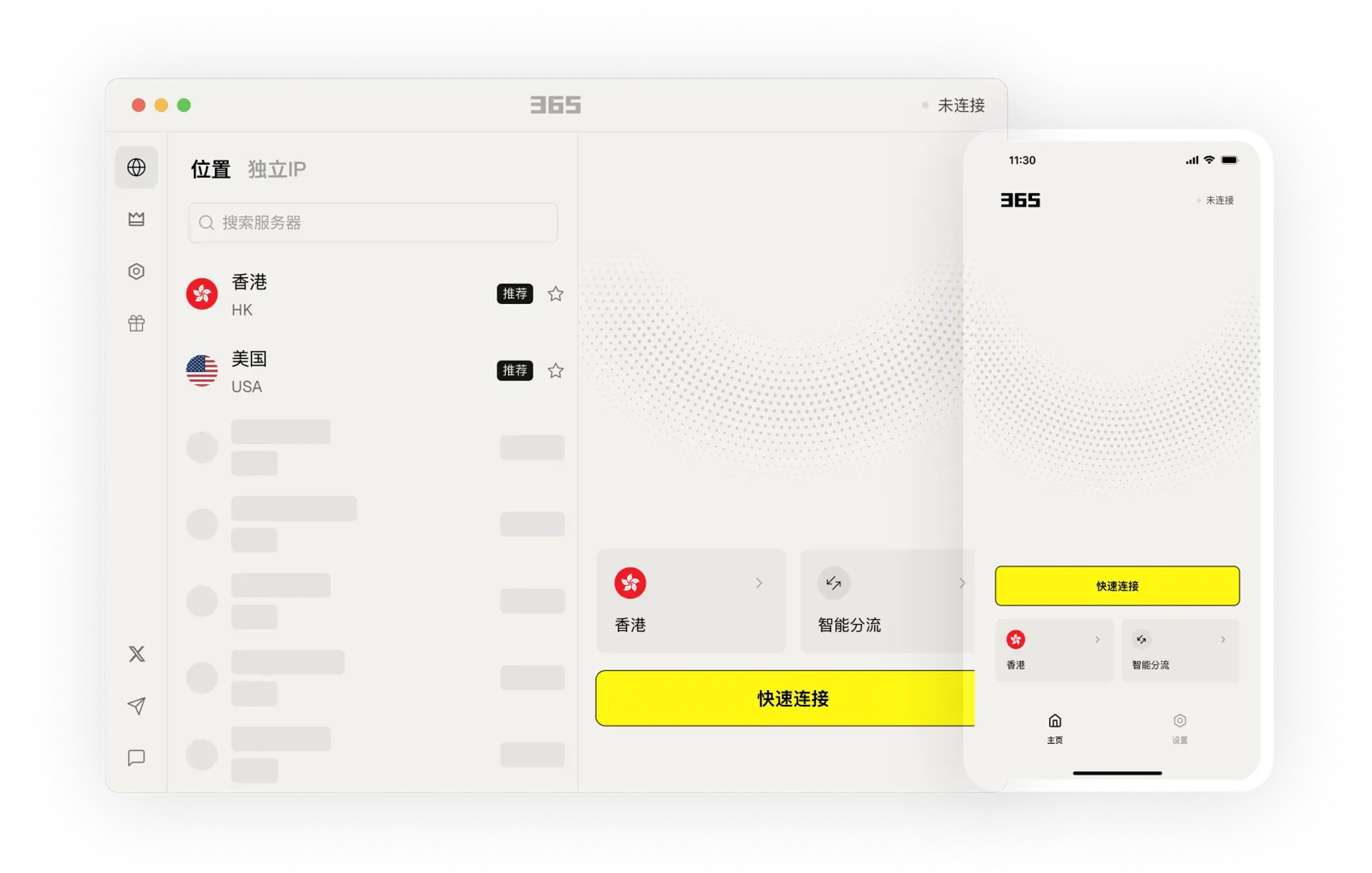
Learn about product features through clear instructions and arrange a usage method that suits your needs.
Choose the connection method that fits your current environment for daily work, communication, and browsing.
Connect to 500+ servers worldwide across 60+ countries and regions. Access content from anywhere.
Seamlessly access Google, YouTube, and other services. Easily access global content and enjoy worldwide services.
Centralize your frequently used connections and device settings to reduce the steps of finding and switching.
Download Now →Always here to help. Day or night.
We provide the simplest guidance — no complicated technical jargon.
From smartphones to routers and TVs, we've got you covered!
Centralize your frequently used connections and device settings to reduce the steps of finding and switching.

We provide easy-to-understand articles to help you stay informed.

Centralize your frequently used connections and device settings to reduce the steps of finding and switching.
After installation, you can view settings and help content in the app to gradually get familiar with common features.

After installation, you can view settings and help content in the app to gradually get familiar with common features.
Find the version and usage method that fits your device, and arrange connections and work as needed.
Select your device system in the download center and view the corresponding version name.
Open the installation file and follow the on-screen installation prompts on your device to complete setup.
365 VPN uses lightweight connections and automatic route selection to help you quickly establish an encrypted tunnel on your everyday devices. No complex configuration is needed—once installed, it can be used for daily browsing, public Wi-Fi protection, and cross-region access.
Automatically encrypts traffic on café, airport, or hotel networks, reducing the risk of account and privacy information exposure.
Supports mainstream phone, computer, and tablet systems. Use the same account to switch connections between different devices.
Stay connected in the background with one tap, ideal for daily web browsing, videos, and social apps.
Usually no additional configuration is needed. Simply open the app and tap connect; it will automatically match a suitable node based on network conditions.
Yes. As long as the device supports the corresponding client, you can log in with the same account and connect separately, making it convenient for daily switching.